How AlionWeb works

The extension checks the addresses of visited sites, applies personal rules, and consults the large AlionWeb database. When a standard check is not enough, selective AI analysis can evaluate the page context.

  • Checks while you browse
  • Rules for every profile
  • Management through Cloud
AlionWeb database
Your rules
AI analysis
AlionWeb protection in your browser
One check from start to finish

From a page address to a clear decision

The extension starts with fast local rules. If there is no ready decision, the address is checked through AlionWeb services without requiring extra action from the user.

  1. Parses the address

    Identifies the domain, subdomain, and path of the page being opened.

  2. Applies your rules

    Considers allowlists and blocklists, words, links, and the active profile settings.

  3. Checks the database

    Looks for a known decision in the large, continuously updated AlionWeb database.

  4. Shows the result

    Allows access, warns about danger, or blocks the page.

Precise blocking

Block an entire domain or one specific link

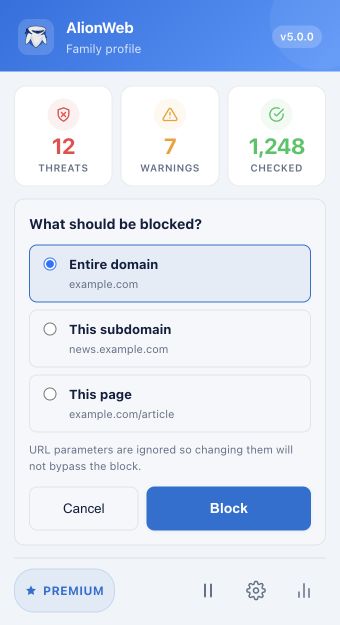
AlionWeb does not force you to choose between a rule that is too broad and one that is too weak. The extension suggests suitable blocking scopes for the current page.

  • Entire domain — the rule applies to the whole site.
  • One subdomain — the rest of the site remains available.
  • Specific page or URL — only the selected path is blocked.
  • Videos and search queries — available for supported sites and search engines.

URL parameters cannot bypass a page rule: the extension normalizes the address into a stable form.

Extension popup
AlionWeb popup with options to block a domain, subdomain, or individual page
The real extension interface.
The main line of defense

The large AlionWeb database is the foundation of site checks

While browsing, the extension compares the address with personal rules, the local decision cache, and the AlionWeb server database. Known addresses receive a faster response, while new ones can be sent for additional checks and moderation.

  • Fast response for decisions already known
  • The database is continuously expanded and refined
  • Shared data is complemented by your rules
Extension popup
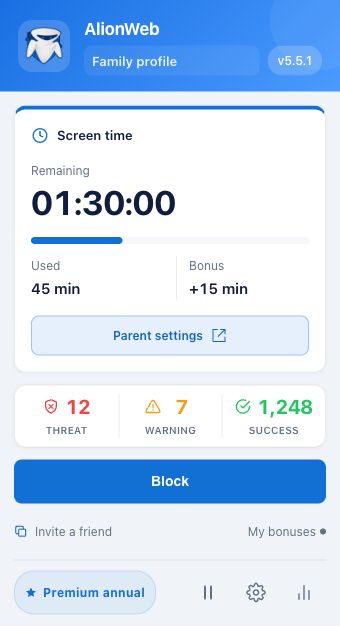
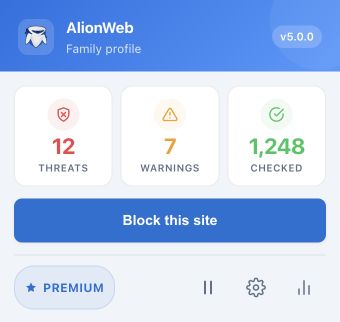
AlionWeb popup with threat, warning, and check counters
Demo values show the structure of the interface.
Statistics and Cloud

A quick summary in the popup, details in Cloud

The extension shows the main counters: how many threats were blocked, how many warnings were displayed, and how many checks were completed.

Trends over time

Charts for checks, blocks, and warnings help reveal changes.

Separate profiles

Rules and results can be viewed in the context of the selected profile.

Site history

Cloud shows the address, time, check status, and the threat signal that was found.

Selective AI analysis

AI steps in when a simple match is not enough

The active profile defines categories and signal words. The extension first looks for a signal locally and only then sends a small context fragment around it for analysis, rather than continuously sending the entire page text.

Context instead of the full page This helps assess the meaning of a phrase while reducing the amount of text transmitted.

Threats the analysis can look for

Encouragement of suicide
Promotion or endorsement of drug use
Promotion or advertisement of gambling
Pornography or sexually provocative content
Grooming (establishing trust for exploitation)
Sexual harassment
Threats of physical violence
Profanity, crude insults, or obscene language

Threat categories are configured separately for every profile in Cloud, so you can enable only what matters to your family or organization.

Protection without complicated setup

Start with the extension and manage the details in Cloud

Install AlionWeb, create profile rules, and review the results in one place.

Choose a browser